
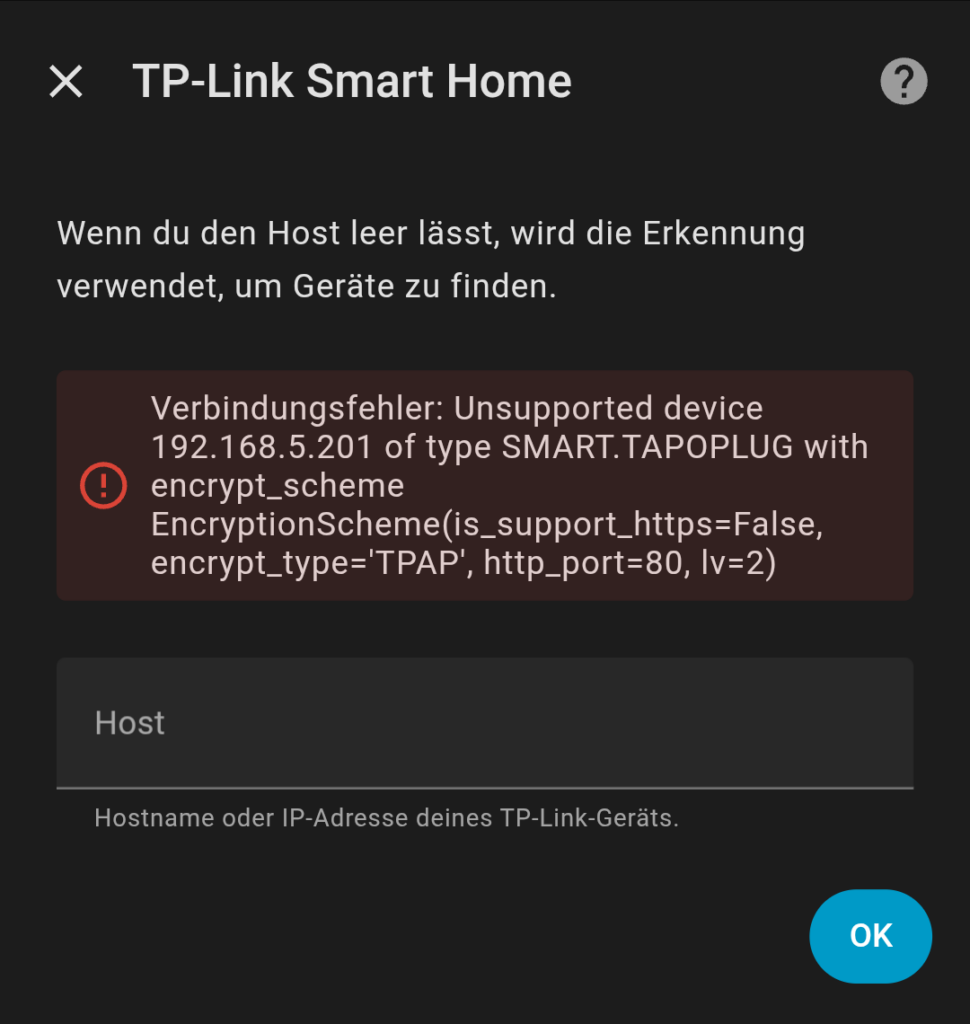
After updating TP-Link Tapo devices to firmware version 1.4.0 Build 251020 Rel. 161559, many Home Assistant users report that their TP-Link Tapo smart plugs no longer work. When trying to add or reconnect the device, Home Assistant shows the following error:
Home Assistant - TP Link: Unsupported device of type SMART.TAPOPLUG with encrypt_scheme
EncryptionScheme(is_support_https=false, encrypt_type='TPAP', http_port=80, lv=2)
This issue affects the TP-Link Tapo integration in Home Assistant and typically appears immediately after the firmware update.
What Causes the SMART.TAPOPLUG Error in Home Assistant?
With firmware version 1.4.0, TP-Link disables third-party compatibility by default.
As a result:
- Home Assistant can no longer communicate with the smart plug
- The device still responds in the local network
- Home Assistant marks the device as unsupported
This behavior is intentional and caused by a changed default setting in the TP-Link Tapo firmware – not a Home Assistant bug.
Fix: Enable TP-Link Tapo Third-Party Compatibility
You can fix the issue without downgrading firmware or reinstalling Home Assistant. The solution only requires enabling one option in the TP-Link Tapo app.
Step-by-Step Instructions
- Open the TP-Link Tapo app
- Tap “Me” in the bottom navigation bar
- Scroll down to “Third-Party Services”
- Enable “Third-Party Compatibility”
After a few seconds, Home Assistant will be able to access the smart plug again.
The device can now be added, reconnected, or controlled normally.
Important Notes for Home Assistant Users
- Enabling third-party compatibility is required after the firmware update
- Existing devices do not need to be re-paired
- Reloading the TP-Link integration may be sufficient
- The fix works for multiple TP-Link Tapo models, including:
- Tapo P100
- Tapo P110
- Local control via Home Assistant works reliably again after enabling the setting
Is This a Home Assistant Bug?
No.
The error “Unsupported device of type SMART.TAPOPLUG” is not caused by Home Assistant.
It is the result of:
- A firmware change by TP-Link
- Third-party access being disabled by default
Once third-party compatibility is enabled, the issue is resolved permanently.
Conclusion
If your TP-Link Tapo smart plug stopped working in Home Assistant after a firmware update, the solution is simple:
✅ Enable Third-Party Compatibility in the TP-Link Tapo app
❌ No firmware downgrade required
❌ No device reset necessary
With this setting enabled, Home Assistant and TP-Link Tapo work together again without issues.